
Overview
Approving a job description locks its content and marks it ready to use for the posting/opening. This is a deliberate, largely irreversible action from the reader's point of view (short of reopening it), so this article calls out what to check first.
Before you approve — checklist
-
Job summary accurately reflects the role
-
Duties and responsibilities are complete and correctly worded
-
Qualifications and required skills match the requisition's seniority level and experience requirements
-
Any required legal/compliance language (e.g., EEO statements) has been included
-
Compensation and benefits details referenced elsewhere on the requisition are consistent with the description
To approve the job description:
-
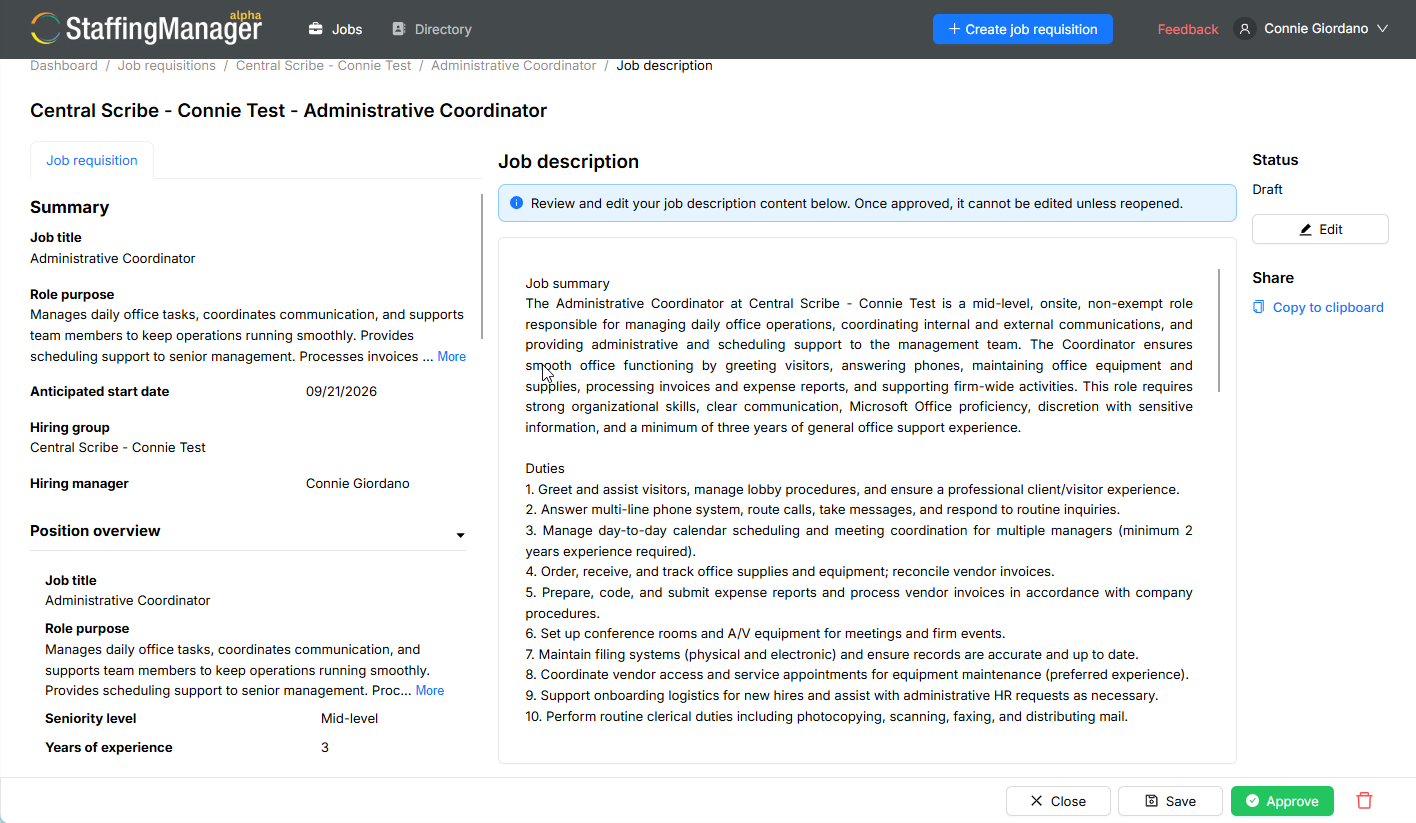
From the Job description review screen (in Draft status), review all sections one final time.
-
Click Approve in the bottom action bar.
-
StaffingManager displays a confirmation message: “Job description has been updated successfully.”
The job description screen ready to take action
-
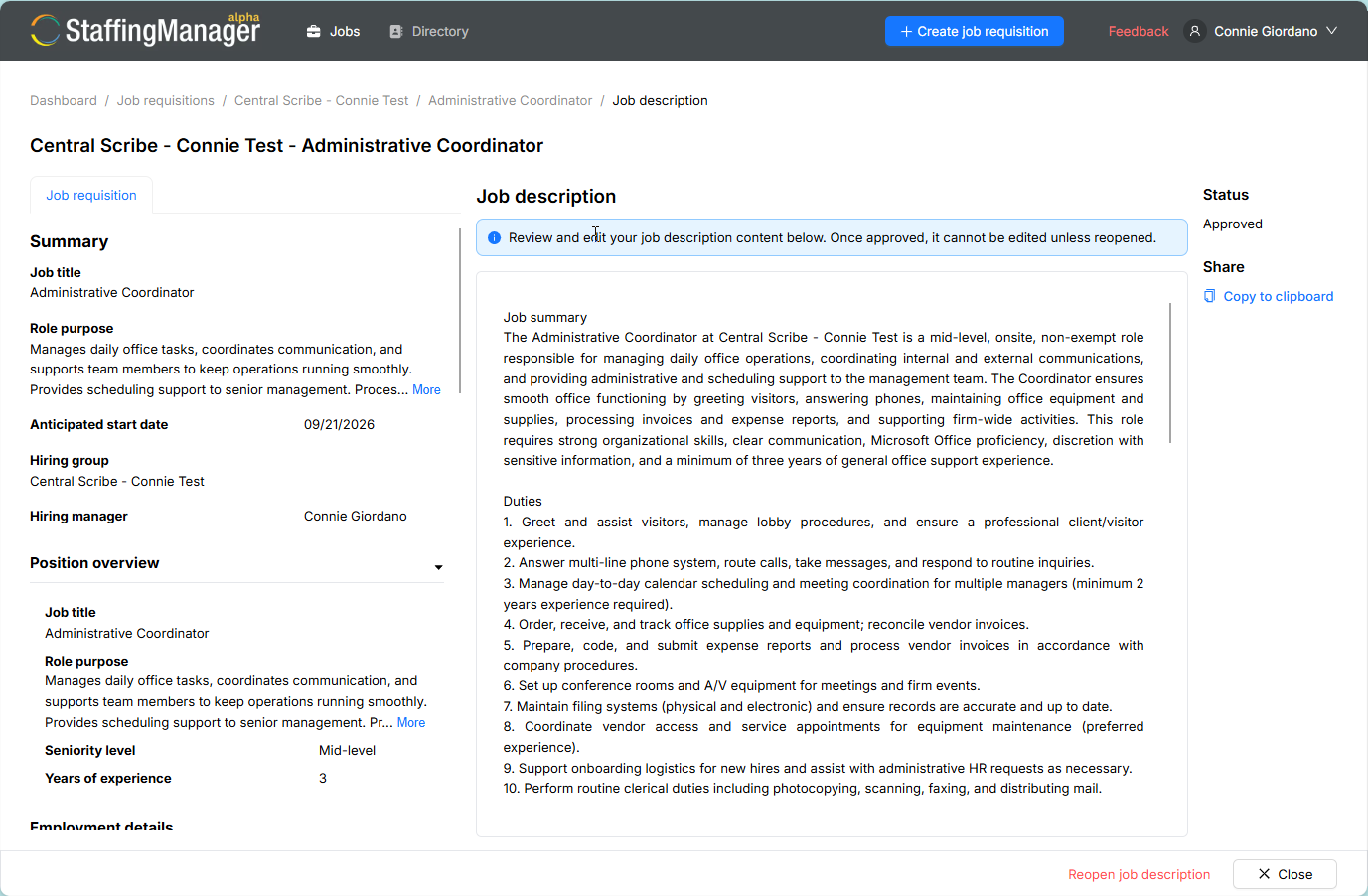
The Status in the right sidebar changes from Draft to Approved.
The approved Job description screen
-
Once approved:
-
The content becomes read-only — the Edit button and editable text boxes are no longer available.
-
A Reopen job description link appears, along with a Close button.
-
A shareable link to the public job posting becomes available under Share → Copy to clipboard, so you can distribute the opening.
-
Click Close to return to the Requisition detail page, where the Job description row under Preparation reflects its new status.
Warning
Once approved, the job description cannot be edited directly. If you need to make changes, you must reopen it first — this temporarily reverts it out of the approved state.