
Overview
The job description, used internally to develop and clarify the parameters of a role. You may find that AI guidance isn't necessary for some roles, particularly if a sufficient job description already exists. You can copy and paste job description info from any source that permits copying, such as word-processed documents, PDFs, or web pages to create a job description in StaffingManager.
Steps
-
Open the source file for the existing job description in the appropriate app.
-
From the job requisition's Preparation panel, click Job description.
-
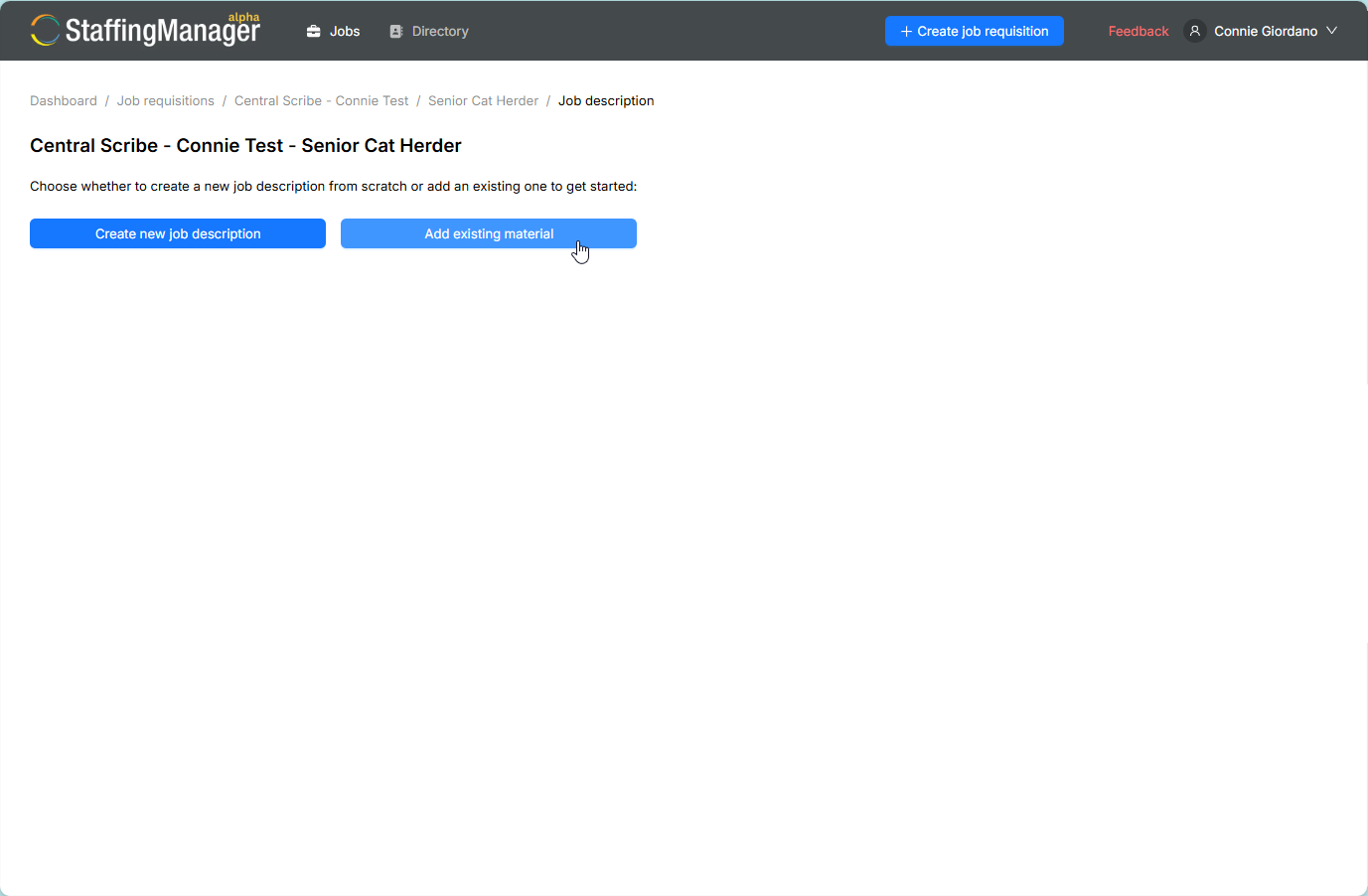
On the choice screen, click Add existing material.
Choose Add from existing material
-
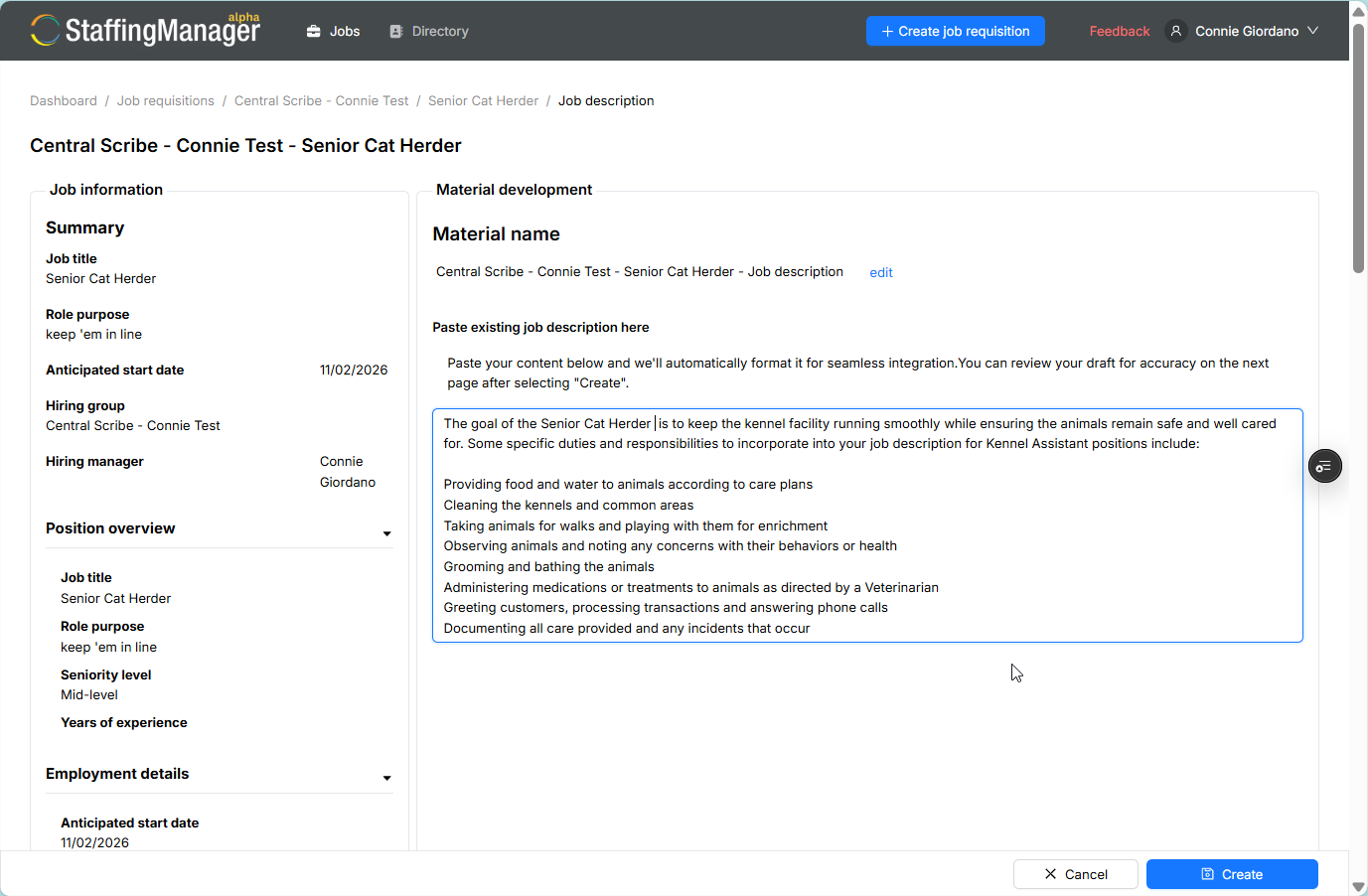
Follow the on-screen prompts to bring in your existing content into the job description free-form text field.
-
Edit as needed.
Copy and paste content into the Job desciption
-
Click Create.
-
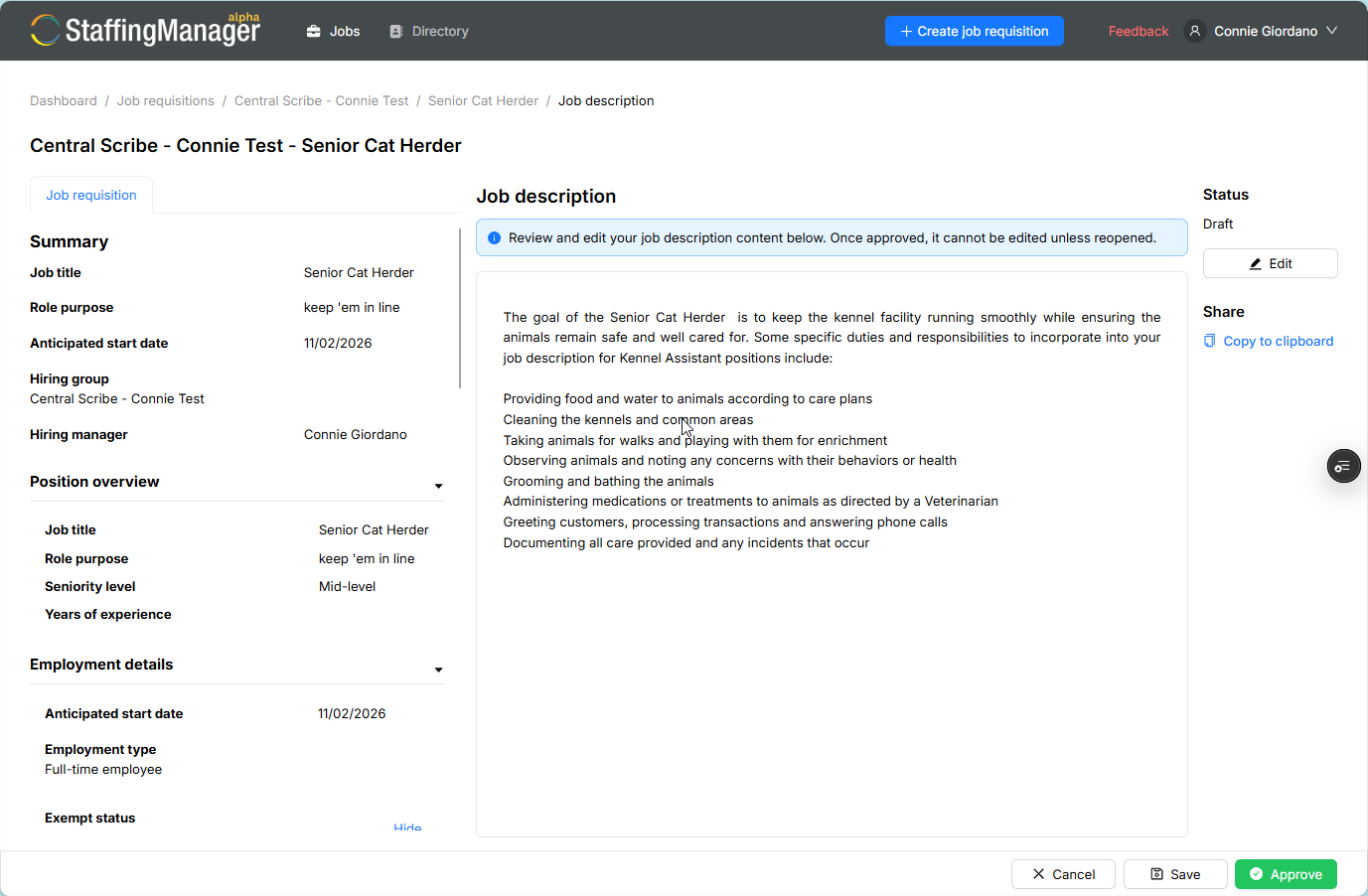
StaffingManager displays the Job description screen where you can save, approve or cancel.
Completed Job description screen
Tip
Use this path when you're standardizing a role that already has an approved job description elsewhere in your organization — it saves you from regenerating similar content.
You can click the Cancel button to return to the requisition detail screen and start over. The requisition screen displays the status as In progress.