
StaffingManager drafts the posting from the requisition's existing job description, so the job description must be finalized before you start.
Before you begin
-
Confirm the job requisition is open and its job description status shows Completed.
-
Decide which platform you're posting to (your own job board or an external site) so you can select the right optimization settings.
To create a job posting
-
Go to Jobs in the top navigation, then select the job requisition you want to post.
-
On the requisition page, find the Preparation panel and select Marketing materials under Promotions.
-
Select Create job posting.
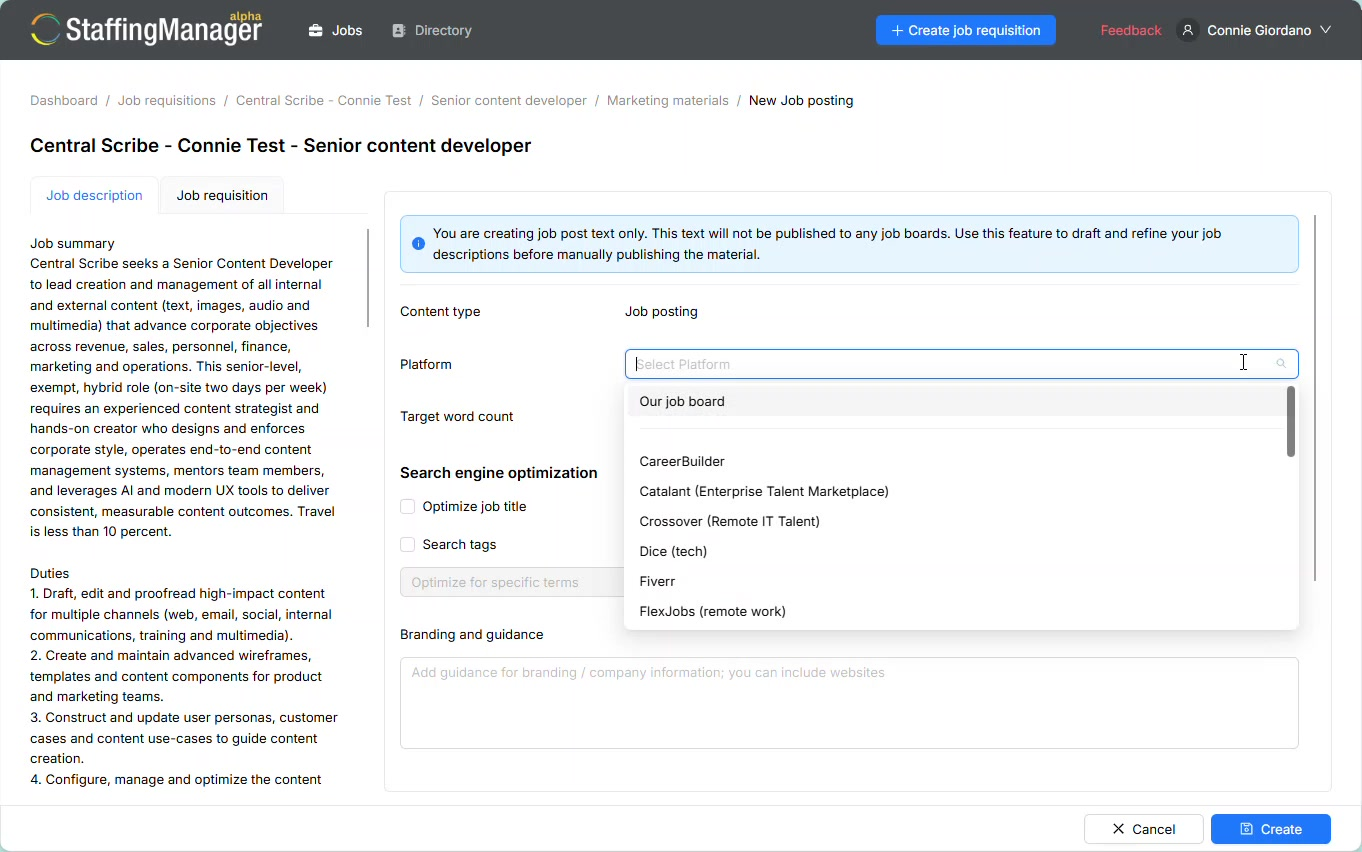
View the Create job posting screen
-
On the Job description tab, review the job summary and duties pulled in from the requisition. This text isn't published yet; it's the source content for your posting.
-
In the Platform list, select where you plan to post the job, such as Our job board, LinkedIn, or Indeed. This selection tailors formatting and length to that platform.
-
Set Target word count to Optimize for best results, or choose a specific target if your platform has length limits.
-
Under Search engine optimization, check Optimize job title to improve searchability, and check Search tags if you want to target specific keywords.
-
In Branding and guidance, add any tone, style, or company-voice notes you want reflected in the posting.
-
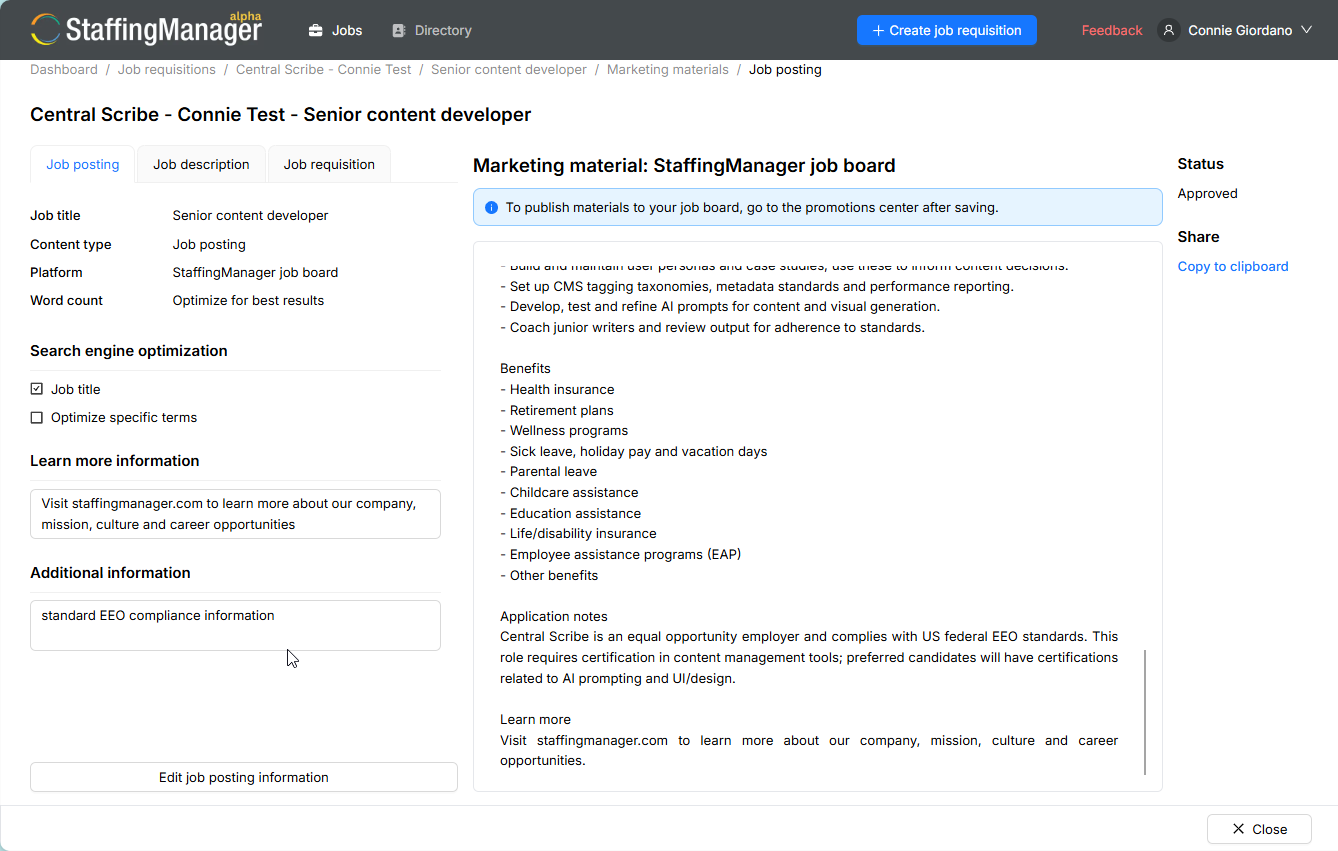
In Information to help applicant learn about company and role, add a short line pointing candidates to your website or careers page, for example: “Visit staffingmanager.com to learn more about our company, mission, culture and career opportunities.”
10. In Additional information, add any required legal language, such as your standard equal employment opportunity (EEO) compliance statement.
11. Click Create to generate the posting.
View the generated job posting
Tip
Keep your “Learn more information” and “Additional information” text on file so you can paste it into every posting. Consistent company and compliance language saves time and keeps postings on brand.