
If you discover an error or need to update an already-approved job description, you don't need to start over — you can reopen it.
Steps
-
Open the approved job description from the requisition's Preparation panel.
-
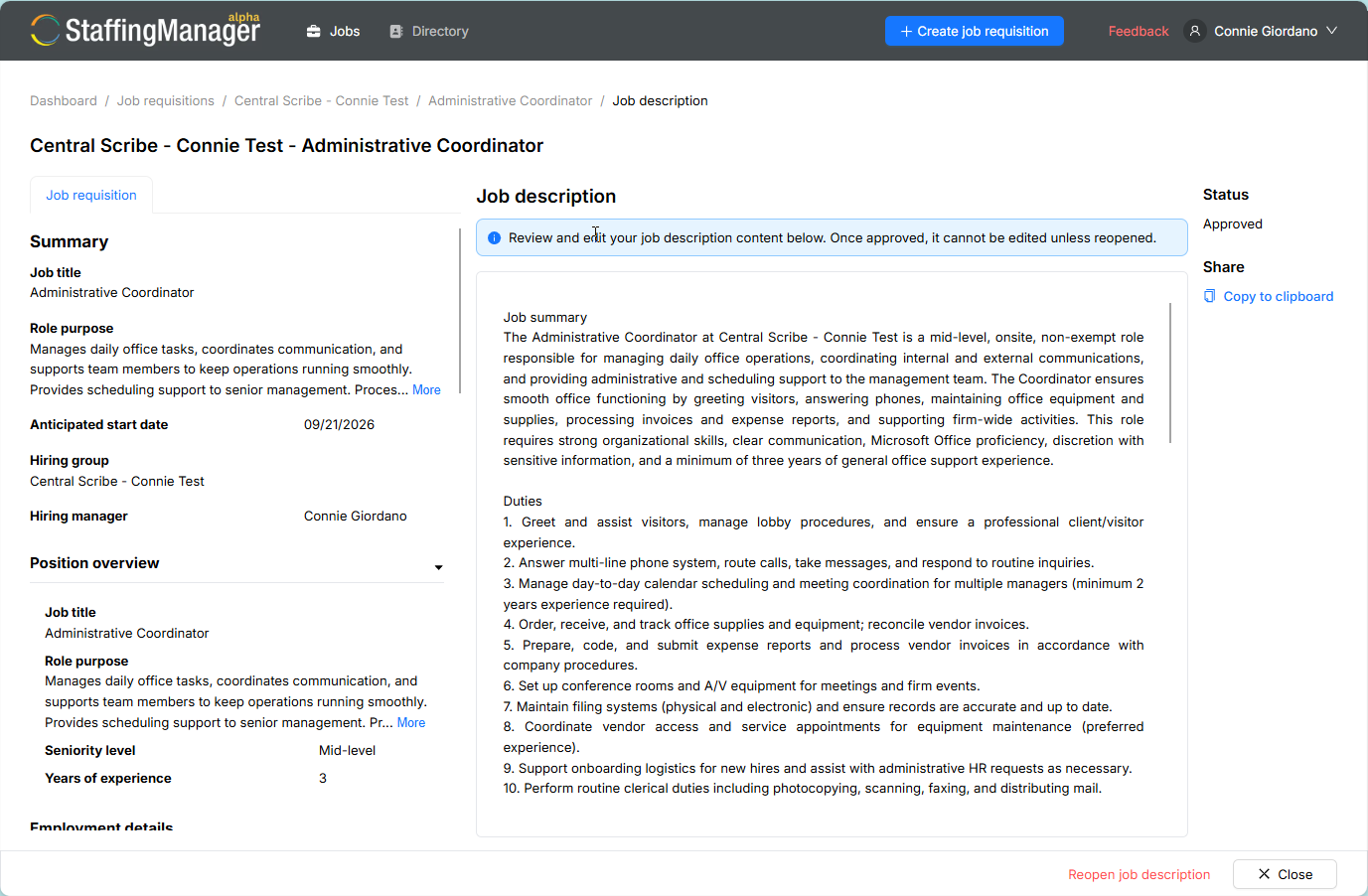
Click Reopen job description.
Job description ready to reopen
-
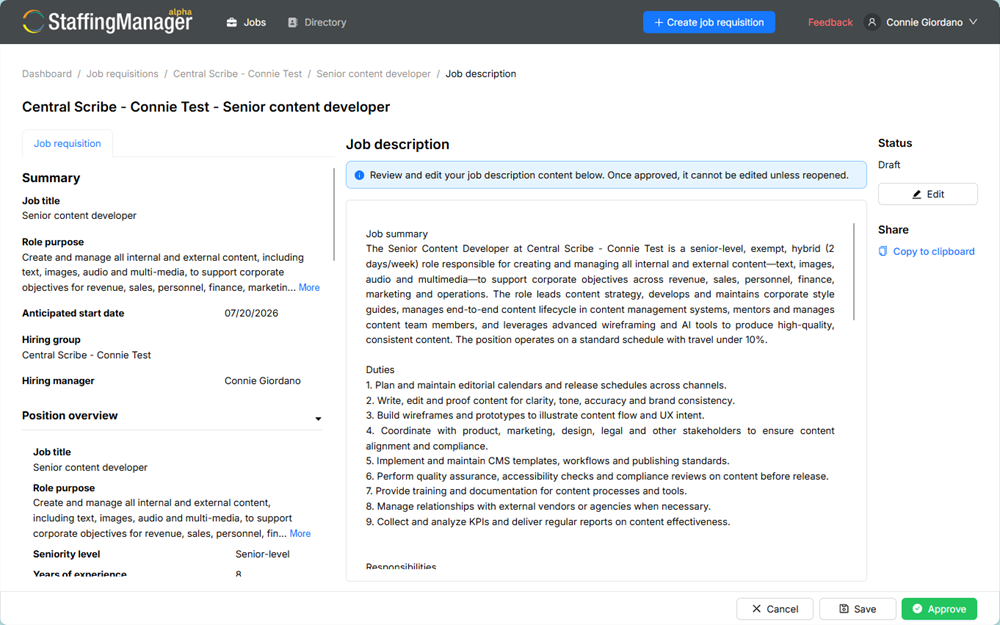
The description returns to an editable state and the status reverts to Draft.
-
Make your edits.
-
Click Approve to re-lock it.
Ready to approve Job description
Note
Reopening doesn't erase your previous approved version's text — it simply makes the existing content editable again, so you're revising in place rather than starting from a blank draft.