
The core features in Central Scribe StaffingManager follow the candidate lifecycle, from opening a requisition to making an offer. You can reach each workflow stage from the right column of the StaffingManager screen.
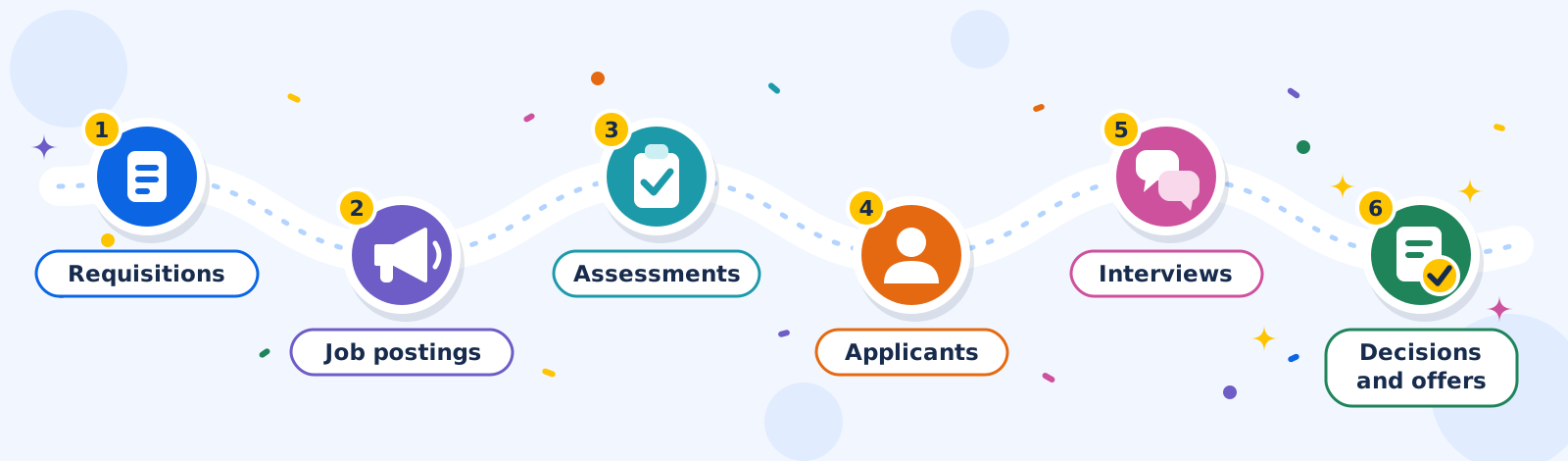
Administration functions, such as company setup and user management, are available only to Owners and Admins. See Account and administration.
Workflow stages
|
Stage |
What you do |
Learn more |
|---|---|---|
|
1. Requisitions |
Create, manage, close, and cancel job requisitions |
|
|
2. Job postings |
Create job descriptions and postings (marketing materials) |
|
|
3. Assessments |
Plan interview types, questions, and scoring |
|
|
4. Applicants |
Capture and track applicants against a requisition |
|
|
5. Interviews |
Schedule and conduct interviews, then evaluate and score candidates |
|
|
6. Decisions and offers |
Decide to offer or reject, then build and track offers |