
Overview
Just like the job description, Assessment preparation is one of the setup tasks tracked in the Preparation panel on a job requisition's detail page, under Role and evaluations. This is where you define how candidates for the role will be evaluated — from initial screening through final interviews — and where you build out the actual interview questions for each stage. Defining the assessments and building the interview questions ensures that all candidates can be evaluated using the same criteria for each.
The hub screen is what you land on after choosing your assessment strategy and you’ll return to any time you want to check on, edit, or add assessment stages.
Important
You must save and approve the job description before you can move forward with building assessments.
Steps
-
Open Assessment preparation from the requisition's Preparation panel (or navigate back to it from any stage's question builder via Close button).
-
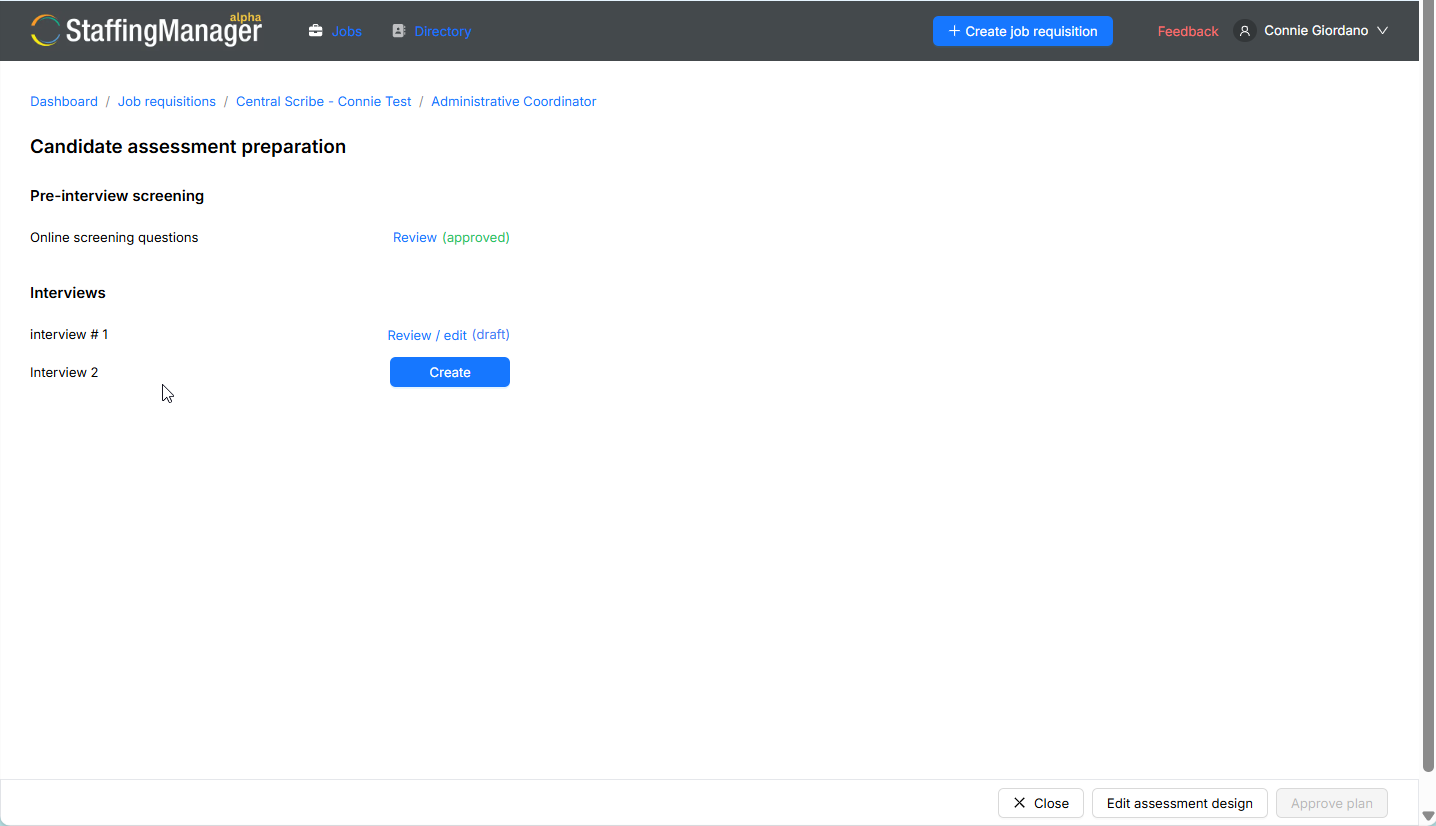
The Candidate assessment preparation screen lists your stages grouped by category, for example:
-
Pre-interview screening
– Screening interview — Review (approved)
-
Interviews
– interview #1 — Review / edit (draft)
– interview #2 — Review / edit (draft)
– interview #3 — Review / edit (draft)
View a Candidate assessment hub with multiple statuses
-
Click any stage's Review or Review / edit link to jump into its question builder.
-
Click Edit assessment design to go back and change which assessment methods to use overall.
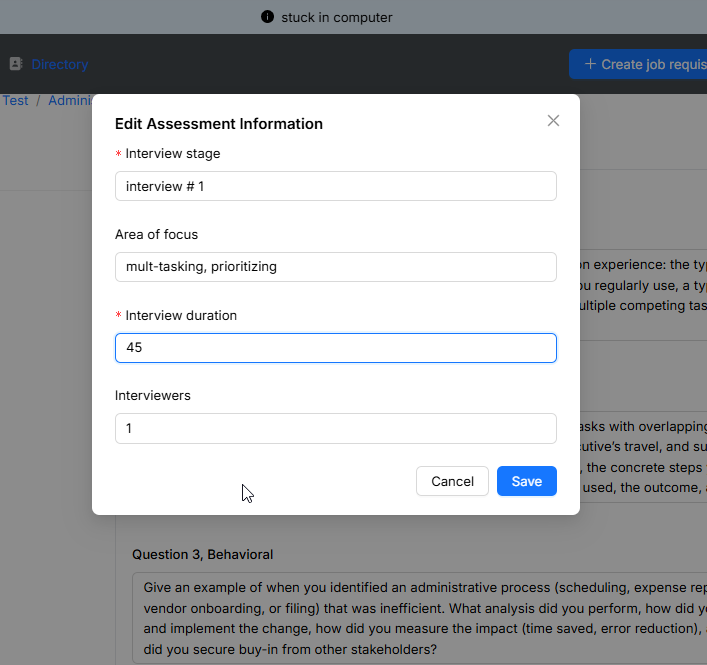
View the Edit information design modal
-
Click Save to exit back to the job requisition detail page.
Tip
Use this hub as your overall checklist before moving a requisition forward — confirm that every stage you plan to use shows Review (approved) before you start scheduling candidates.