
The first step in assessment preparation is deciding how you'll assess applicants — before you write a single question. StaffingManager presents this as a simple method-selection screen.
Steps
-
From the requisition's Preparation panel, click Assessment preparation.
-
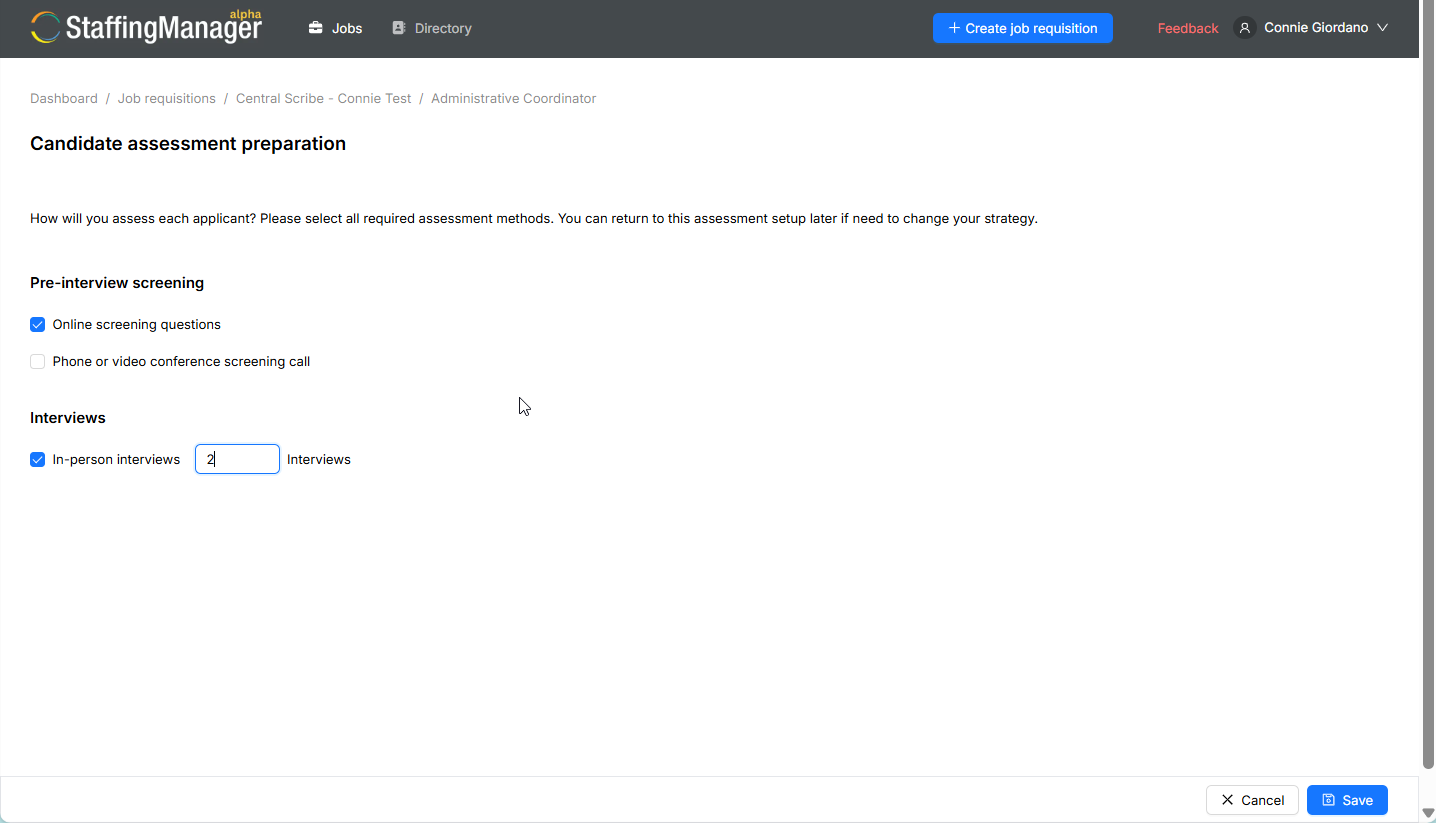
On the Candidate assessment preparation screen, you'll see: “How will you assess each applicant? Please select all required assessment methods. You can return to this assessment setup later if you need to change your strategy.”
Assessment preparation screen
-
Under Pre-interview screening, choose from:
-
Online screening questions
-
Phone or video conference screening call
-
Under Interviews, choose:
-
In-person interviews
Note
You will typically select more than one method — for example, a phone screening call followed by in-person interviews is a common combination. Each method you select becomes its own stage that you'll configure separately.
-
Click Save.
-
You're taken to the Candidate assessment preparation summary (hub) screen, which lists each stage you selected — this is where you'll build out questions for each one. See Use the assessment preparation hub for a full walkthrough of this hub screen.
Reminder
The available assessment methods and their exact labels may vary based on your organization's StaffingManager configuration — what's shown here reflects the standard setup.