
Once the Offer letter has been approved, you can visit the candidate profile to record and update the actions taken by you and the candidate.
To update the status of a candidate offer:
-
Open the Candidate Profile from the Offer section of the Requisition or the Candidate center list.
-
Click the Offer & materials link in the right column.
-
When the Offer status window opens, select the current action from the dropdown list.
-
A status update message appears at the top of the screen.
-
Click close to return to the previous screen and view the new offer status.
Click to expand...
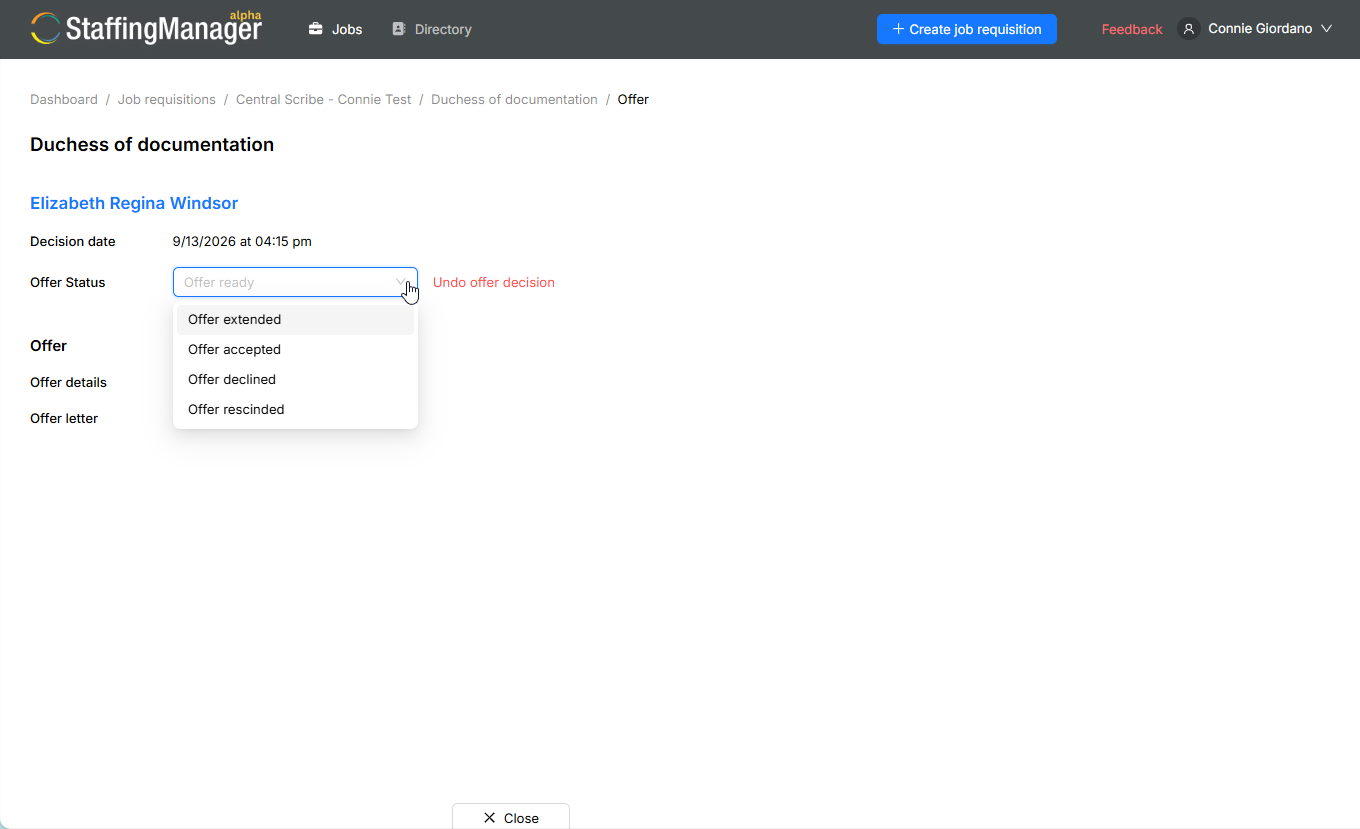
Undoing an Offer decision
You may reach a point where you wish to reverse the offer made to a candidate. This may occur for various reasons, such as eliminating the position, uncovering more details about a candidate, or identifying a more appropriate candidate.
Click the Undo offer decision link next the Offer status field.
Complete the date and select the reason for the decision in the modal that appears (required).
If needed provide additional notes in the Secondary reason field.
Click the Reject candidate button to confirm the decision.
Important
The date and reason for decision fields are required. You should record as much detail as possible about the decision to ensure a complete record.