
After you select a candidate to offer, Central Scribe StaffingManager gives you a structured offer sheet so you don't have to remember every detail a competitive offer needs. You can complete it in one sitting or return to it as details are approved internally, such as a final salary number.
Open the offer sheet and complete each section
-
On the candidate's profile page, select Offer & materials.
-
Select the Offer sheet tab.
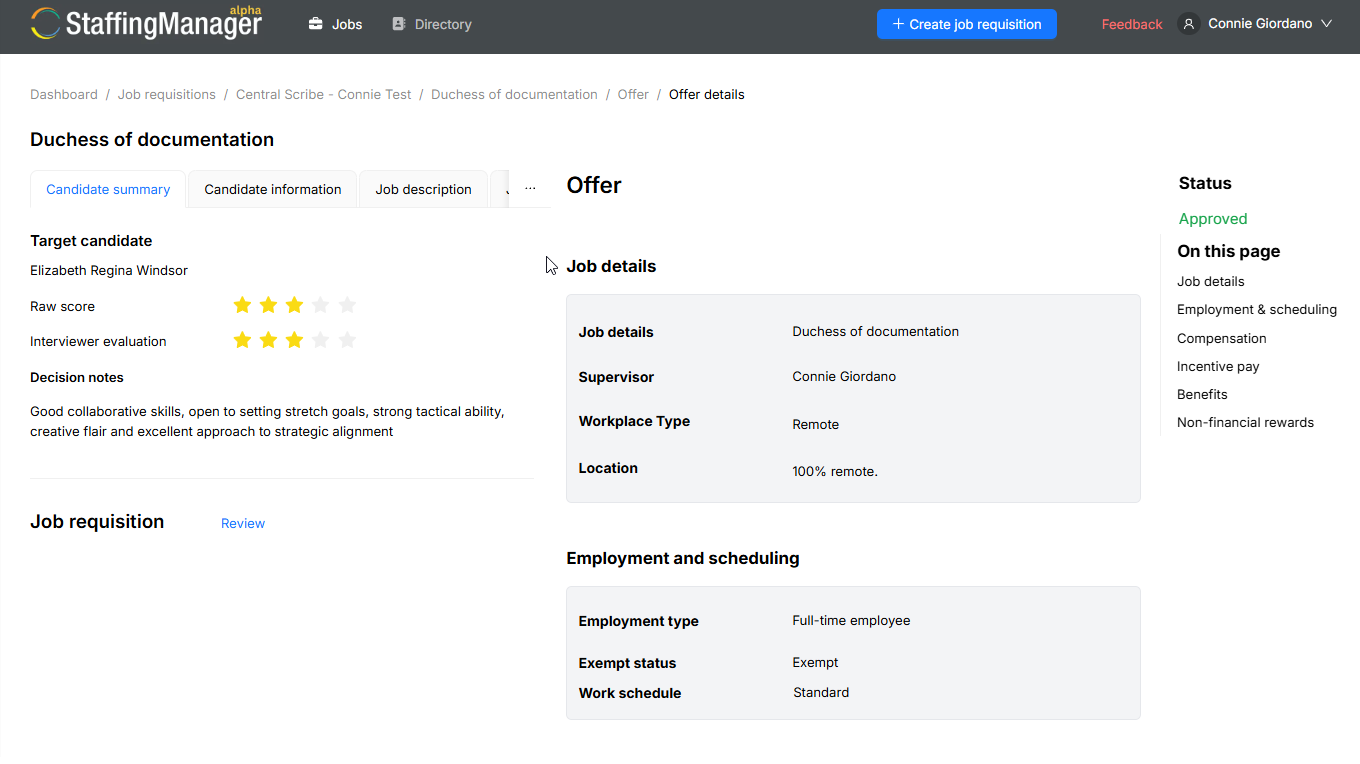
A navigation panel on the right, On this page, lists every section so you can jump around: Job details, Employment & scheduling, Compensation, Incentive pay, Benefits and Non-financial rewards.
Job details
Confirm the job title, supervisor, workplace type (for example, Hybrid) and required office time. Add a location if one hasn't been set in your account settings.
Employment & scheduling
Set the employment type (for example, Full-time employee), exempt status and work schedule.
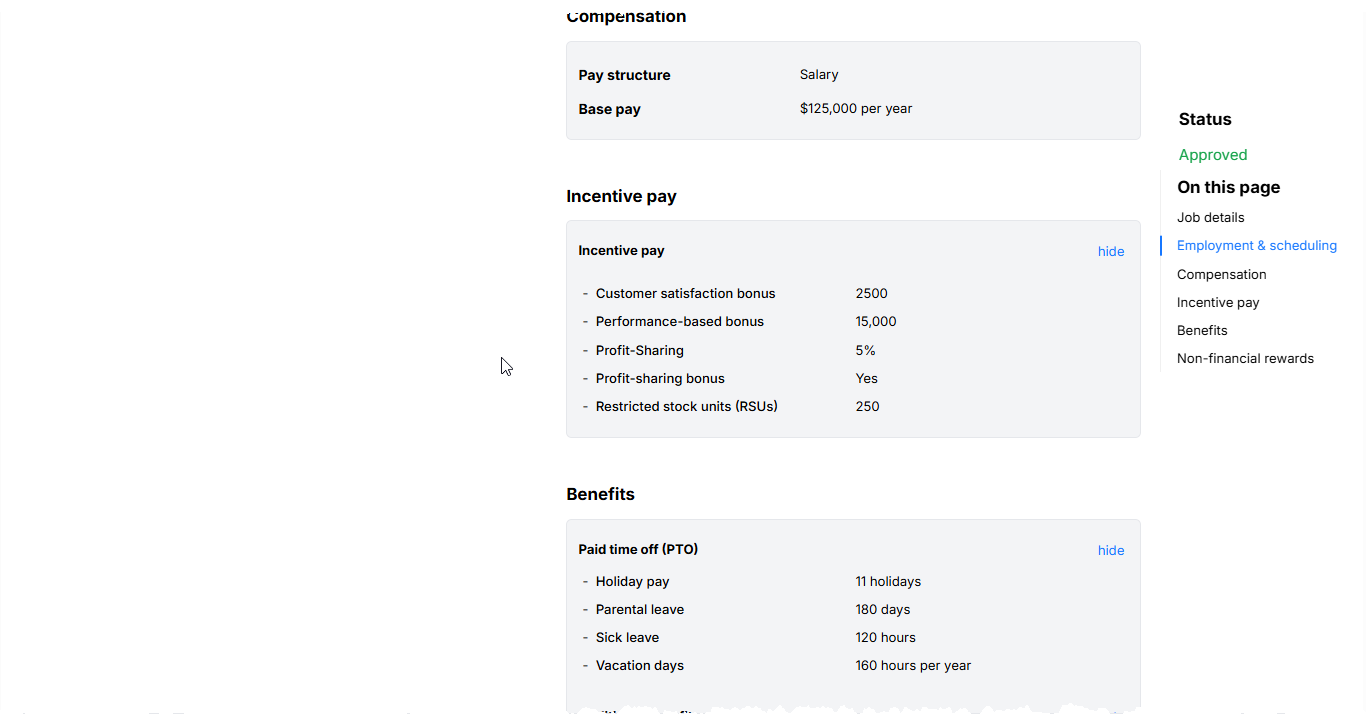
Compensation
Select change next to Compensation, or select the section, to set the pay structure (for example, Salary) and base pay. Enter a specific number or a range, depending on where you are in negotiations, then select Update.
Incentive pay
Record any performance-based bonus, stock purchase plan (ESPP) or stock options you're offering. Leave a field blank or enter "TBD" for anything not yet finalized.
Benefits
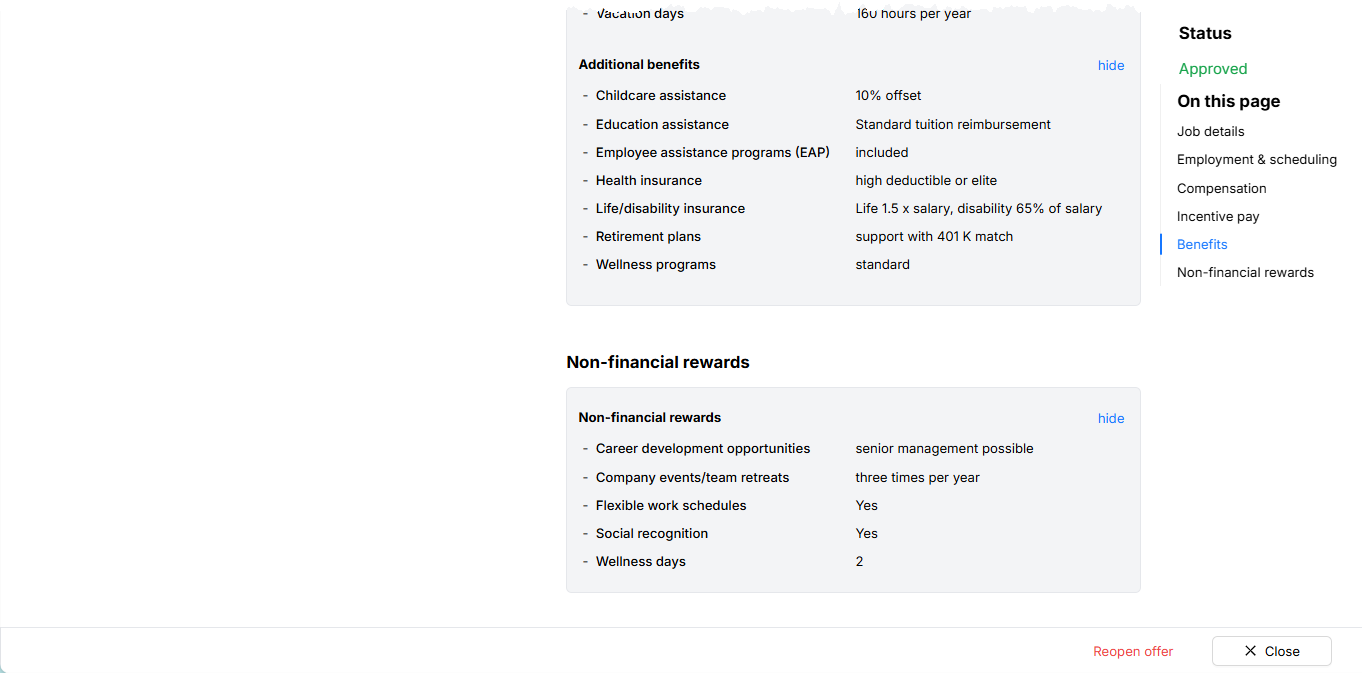
Document paid time off (holiday pay, parental leave, sick leave, vacation days) and additional benefits such as childcare assistance, education assistance, an employee assistance program (EAP), health insurance, life/disability insurance, retirement plans and wellness programs. You don't need to fill in every field — only the benefits you're offering for this role.
Non-financial rewards
Note anything beyond pay and benefits that's part of the offer, such as career development opportunities, company events or team retreats, and recognition and awards programs.
View the details of the offer package
Save or approve your work
-
Select Save to store a draft without finalizing it. The offer sheet's status stays Draft.
-
Select Approve once every section is accurate and ready to move forward.
Note
You must approve the offer package before drafting the offer letter or extending the offer to the candidate.