
After a candidate's interview evaluation is complete, their profile page becomes your decision hub. From here, you can review their scores side by side with your notes and move them forward or close out their application.
Review the candidate's profile
Go to the candidate's profile page (Job requisitions > [role] > Candidates > [candidate name]). The page is organized into three columns:
-
Contact methods: Email, phone and mailing address.
-
About candidate: Applicant source, current employer and title, education, resume and other materials.
-
[Job title] panel: Application status, Raw score, Interviewer evaluation and Total score, plus two sections:
-
Candidate evaluation: A list of every interview and its status (for example, Interview #1: Completed).
-
Candidate decision: Where you make the call.
Make your decision
In the Candidate decision section, select one of two buttons:
Offer candidate
-
Select Offer candidate.
-
If any assessments are still in progress, Staffing Manager shows a warning so you don't make an offer before you have all the information you need. You can still proceed if you're confident in your decision.
-
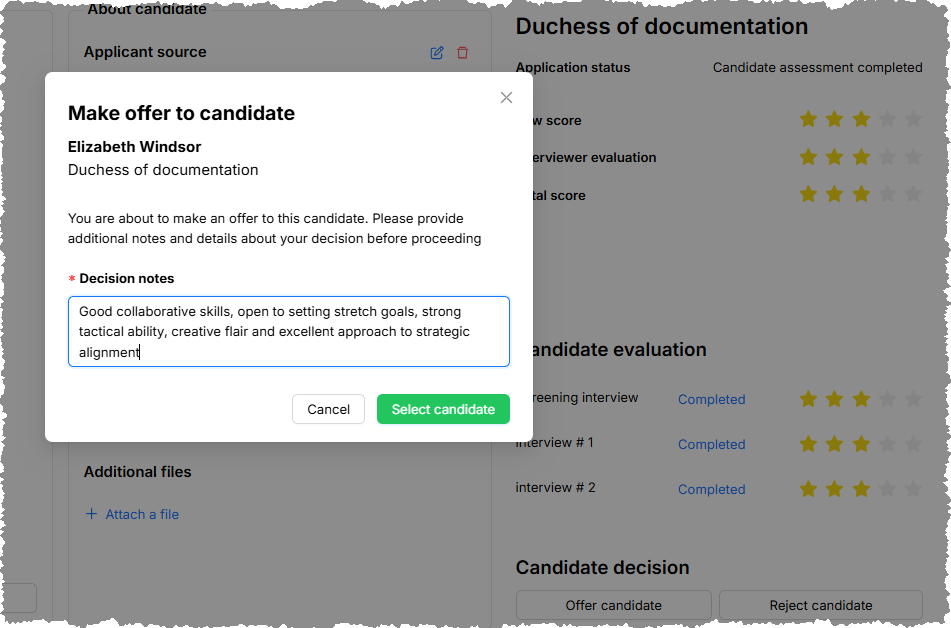
Enter your reasoning in the required Decision notes field — for example, why this candidate stood out compared with others.
-
Select Select candidate to open the Make offer to candidate modal.
-
Review (and modify if needed) the decision notes in the modal.
-
Click the Select candidate button to confirm your decision.
View details of the offer decision modal in the candidate profile
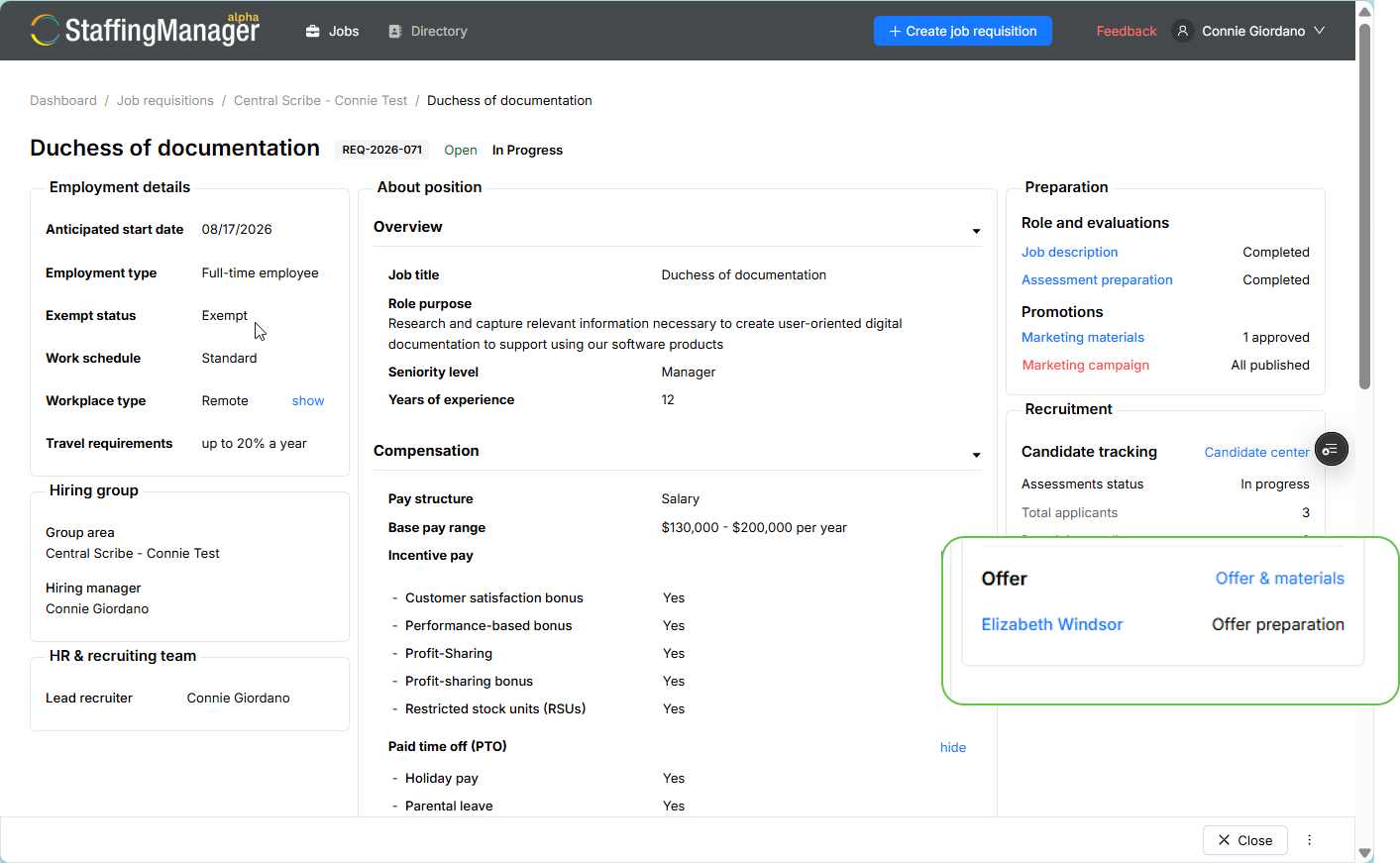
The candidate's application status changes to Offer preparation, and a new Offer & materials link appears so you can build the offer package. You can also view this status change in the job requisition screen which now shows an Offer section in the right column.
View the job requisition screen with the updated offer decision
Reject candidate
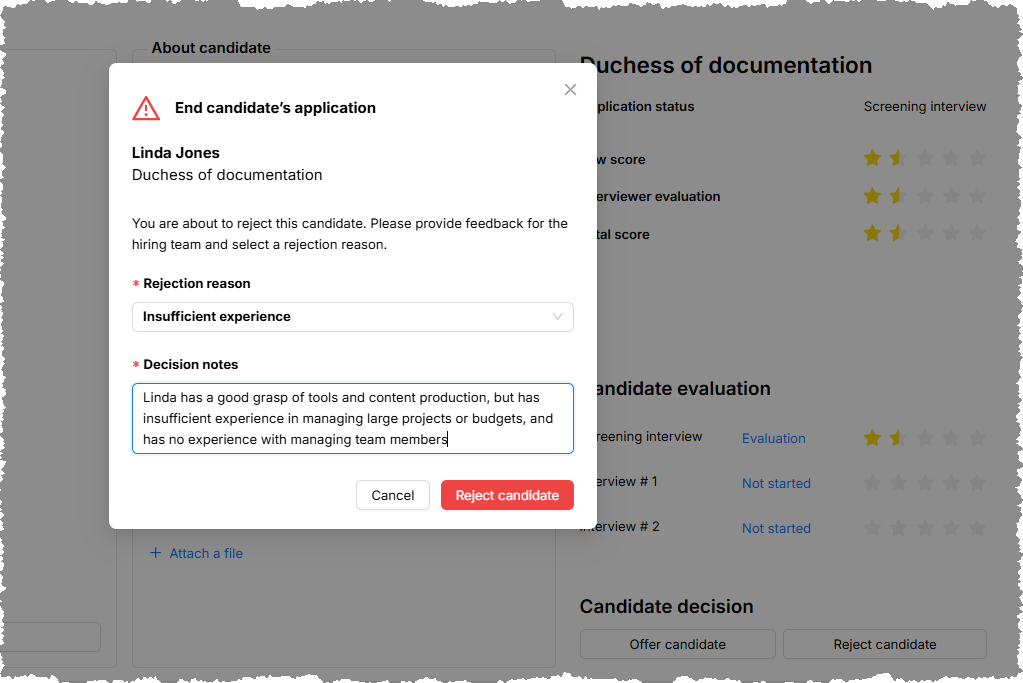
Select Reject candidate if the candidate isn't moving forward. This updates their stage to Candidate rejected on the Candidates list, so your pipeline stays accurate for reporting.
View the details of a Reject candidate decision modal
Changing your mind
If you need to reverse an offer decision before it's finalized, use the Undo offer decision link shown next to the Offer status on the candidate's profile. If the candidate was previously rejected, click the Reopen candidacy link in the candidate profile screen.