
After you create a candidate record, Central Scribe StaffingManager opens their profile page automatically. If the assessment plan has been approved, you can use this page to move the candidate through your hiring process. The Candidate evaluation section provides links to each planned interview.
View the candidate profile screen
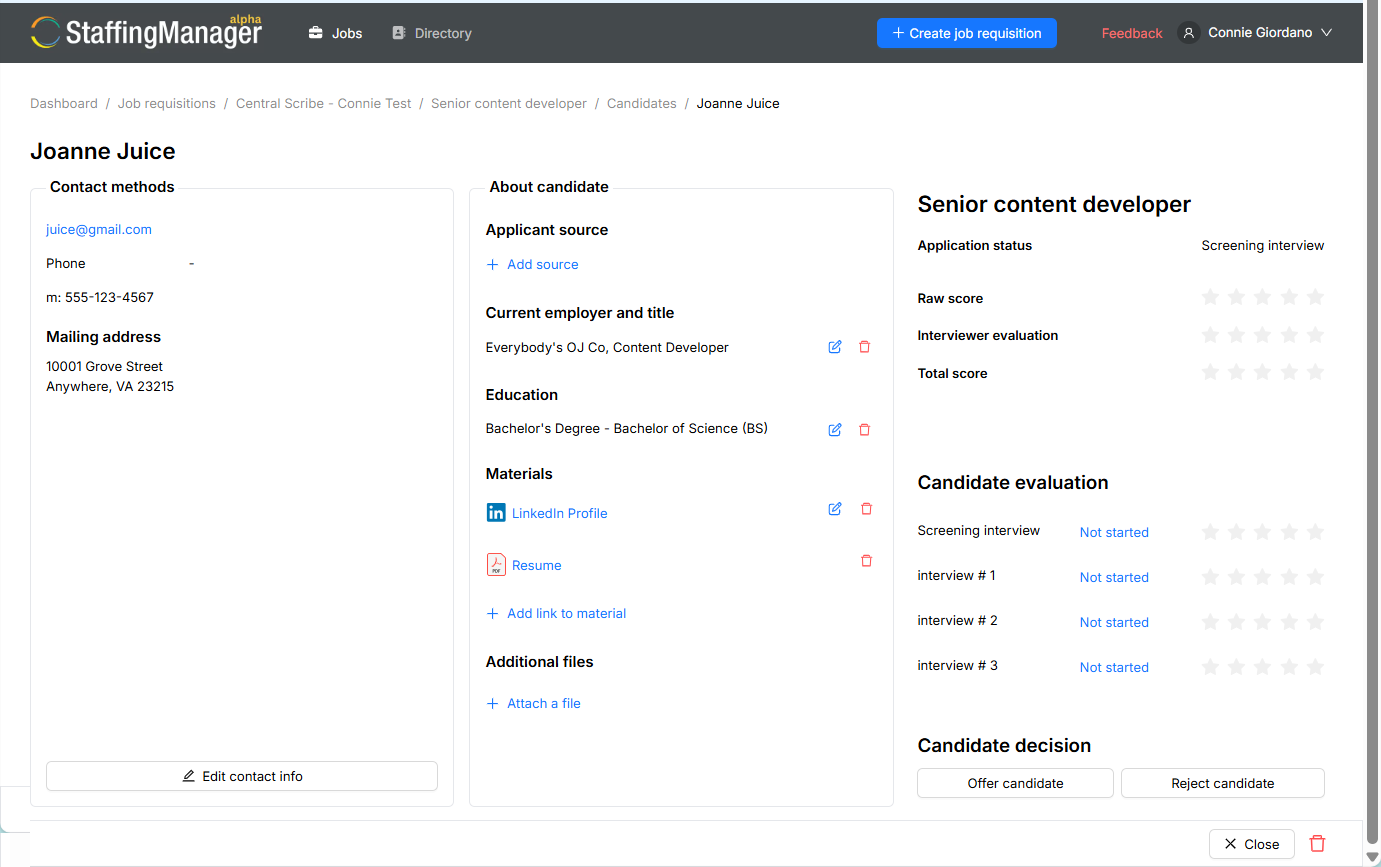
What is on the candidate profile page
-
Contact Methods: email, phone and mailing address. Select Edit Contact Info to make changes.
-
About Candidate: applicant source, current employer and title, education, and attached materials.
-
Candidate Evaluation: tracks the status of screening questions and interviews, and records scores as your team completes them.
-
Candidate Decision: select Offer Candidate or Reject Candidate when your team reaches a decision.
Track progress on the job requisition
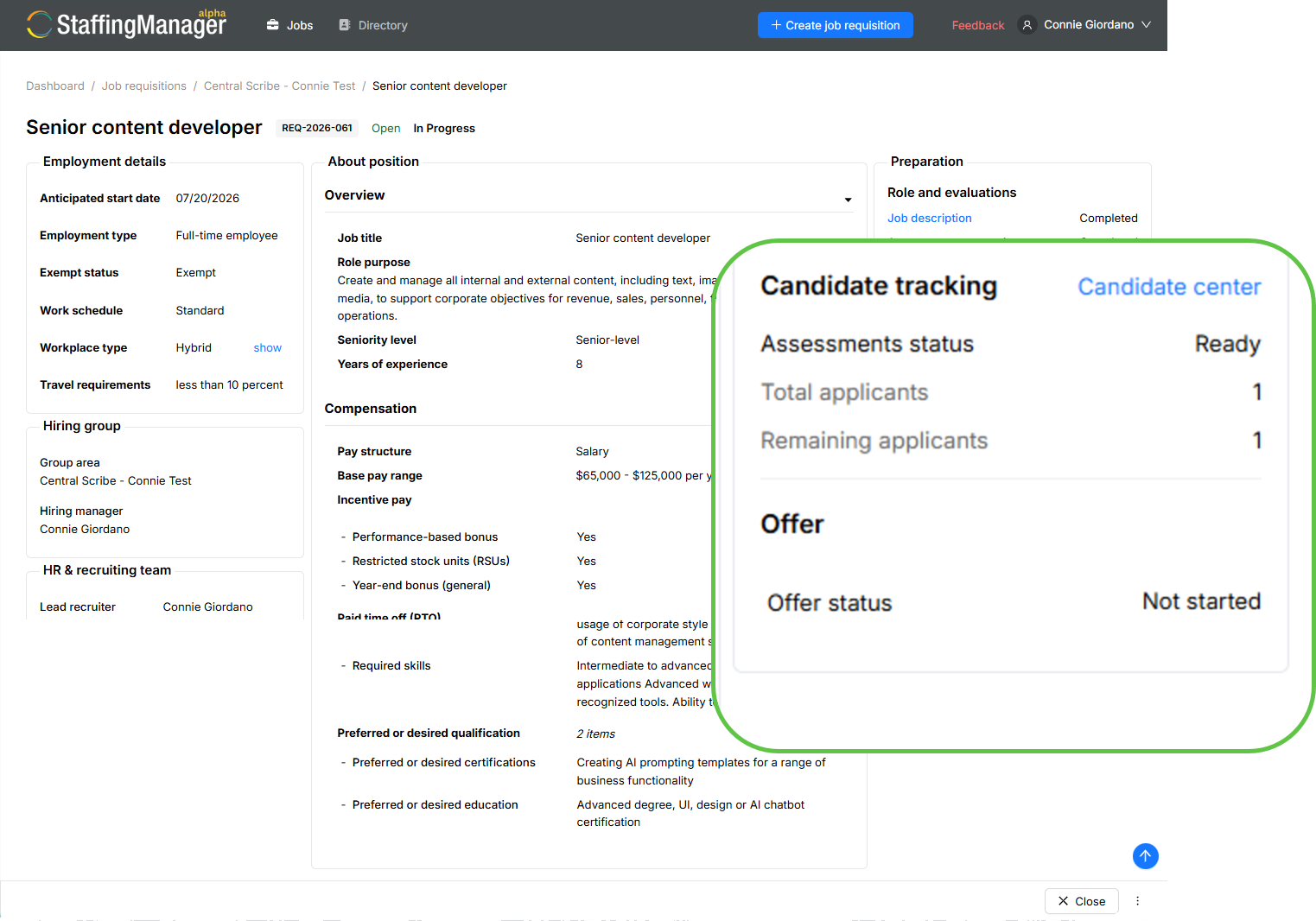
The job requisition page updates automatically as you add candidates. Under Recruitment, the Candidate tracking section shows total and remaining applicant counts, giving you a quick view of hiring progress for the role. Select Candidate Center from this section to return to the full candidate list at any time.
Candidate tracking section of job requisition
Tip
For small hiring teams, check the Candidate Tracking numbers regularly. A high remaining applicant count with little evaluation activity is a sign to schedule interviews sooner rather than later.