
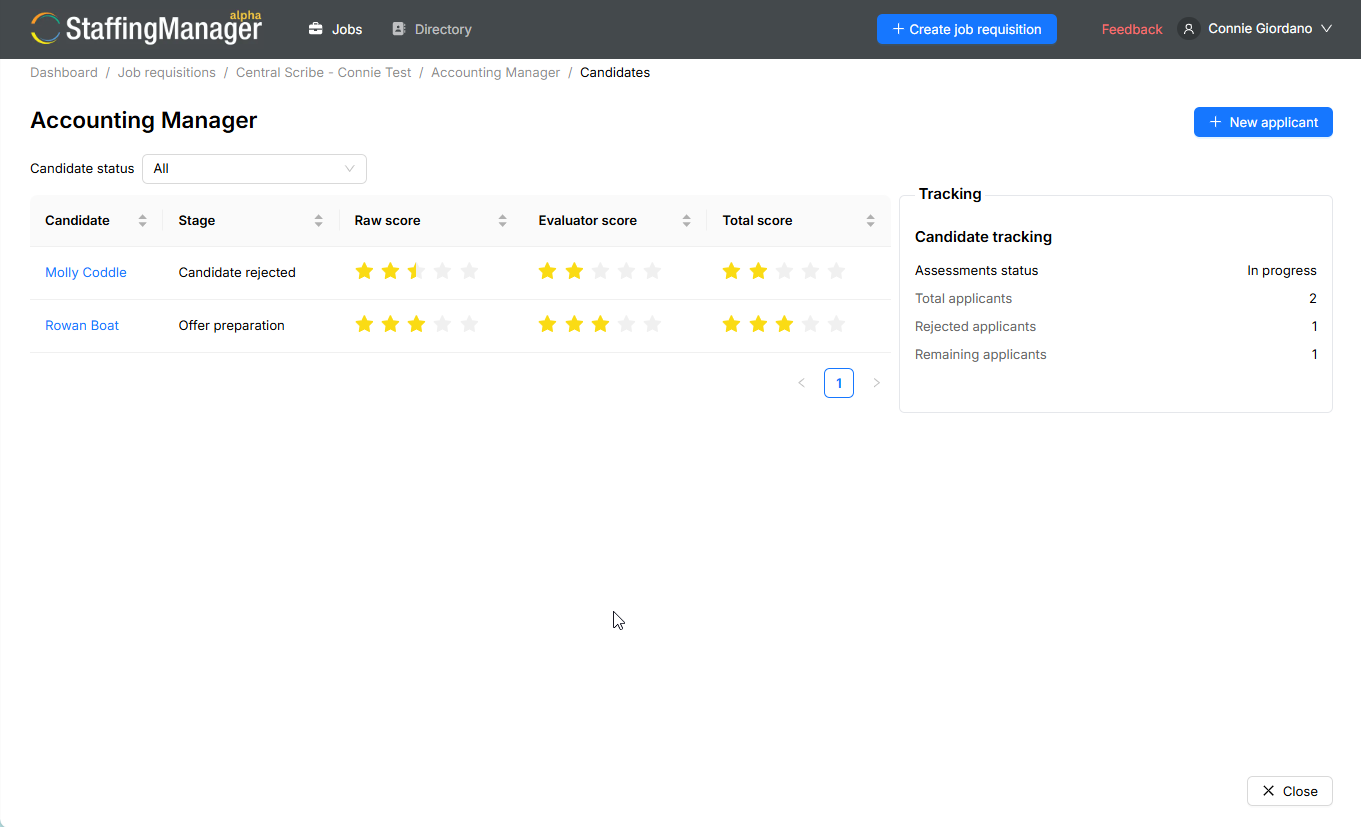
On the candidate list for a job requisition, you'll see three score columns alongside each candidate's stage: Raw score, Evaluator score, and Total score. They're there so you can compare candidates at a glance without re-opening every assessment.
-
Raw score reflects the star ratings entered directly against the interview questions — the unadjusted output of your question-by-question scoring.
-
Evaluator score reflects the interview score carried through from the Final Evaluation step, once an evaluator has reviewed the assessment.
-
Total score combines scoring across the candidate's full pipeline (all stages and evaluators to date), giving you one number to sort or compare by.
View the candidate center for an in-progress requisition
How to use these in practice
Use the candidate list to spot standouts quickly, then open the full assessment before making a call — the score tells you who to look at closer, not the whole story.
-
If two candidates have similar total scores, the individual question notes are usually where the real difference shows up.
-
If your organization has customized how these scores are weighted or calculated, check with whoever administers your StaffingManager setup — the exact math can vary by account configuration.
-
Scores are a shortcut for comparison, not a substitute for reading the notes behind them.