There may be instances where you want to go into a completed assessment and make changes to candidate responses, score, question notes or the final assessment summary. Take great care in doing so since the assessment information is use throughout the final steps of the interview process.
To edit a candidate interview assessment:
-
From the Candidate profile screen, click the link for the interview to be modified.
-
Click the red Edit assessment notes link at the bottom of the interview column.
-
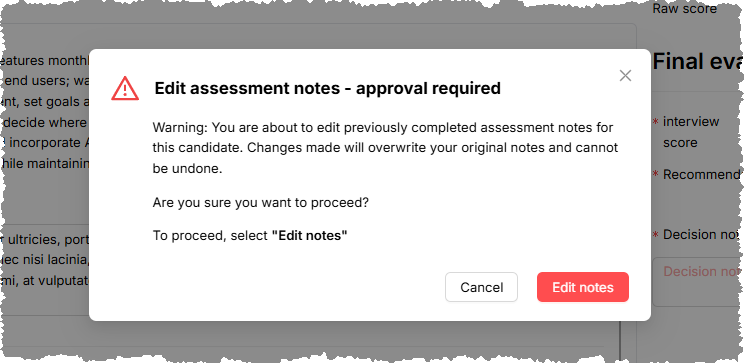
StaffingManager displays a warning message about approval for changing an assessment.
-
Click Edit notes to continue with your changes, or cancel to return to the candidate interview screen without making changes.
The warning message when changing interview assessment notes